Closed

Zoom in/out business proces diagram

Related products:Software Factory
  • May 6, 2020
  • 5 replies
  • 68 views

Forum|alt.badge.img+4

A business process diagram can be quite large, a function to zoom in and out would be helpful in maintaining overview while also enabling a view on details.

5 replies

Bart Metselaar
Moderator
Forum|alt.badge.img+3

Hello Kirsten,

It should be possible to use LEFT CTRL + Scroll to zoom in and out. Is this insufficient for your use?

Kind regards,

Bart


Forum|alt.badge.img+4

Hi,

Thx for your reply.


left ctrl + scroll zooms the entire SF in and out, i am looking for a function to zoom just the designer frame. NB: I use the webGUI.


Kind regards, 

Kirsten


Anne Buit
Community Manager
Forum|alt.badge.img+5
  • Community Manager
  • May 7, 2020

Hi Kirsten,

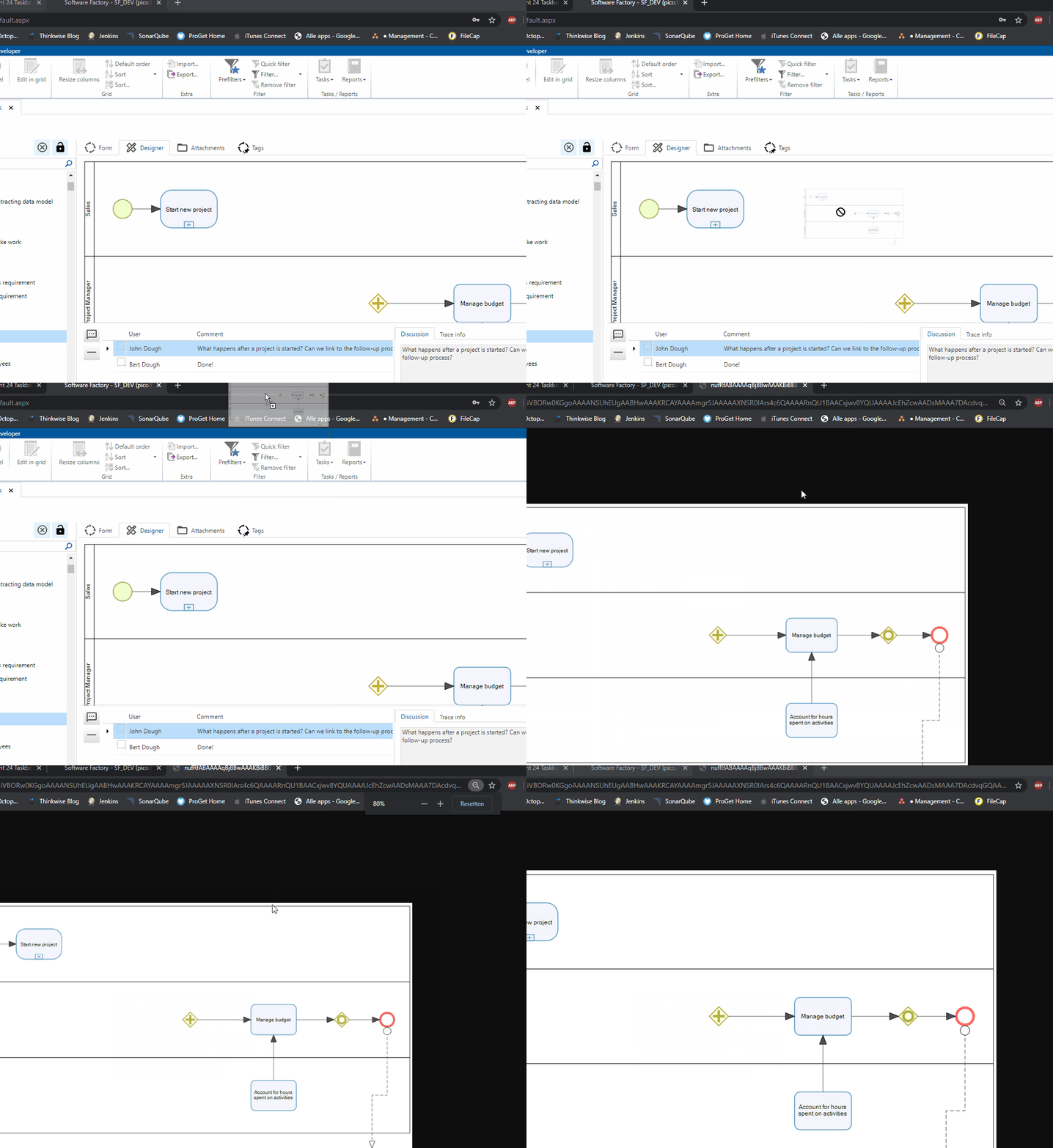
Definitely something we can look into. A workaround in the meanwhile that might help is dragging the business process image to a new browser page. This way you can zoom the business process without affecting the rest of the UI.


Forum|alt.badge.img+4

Thx!


Jeroen van den Belt
Administrator
Forum|alt.badge.img+10
OpenClosed