



New

Use different table variants for screen types with multiple grids

Related products:Software FactoryUniversal GUI
  • December 11, 2025
  • 5 replies
  • 38 views

Forum|alt.badge.img+8

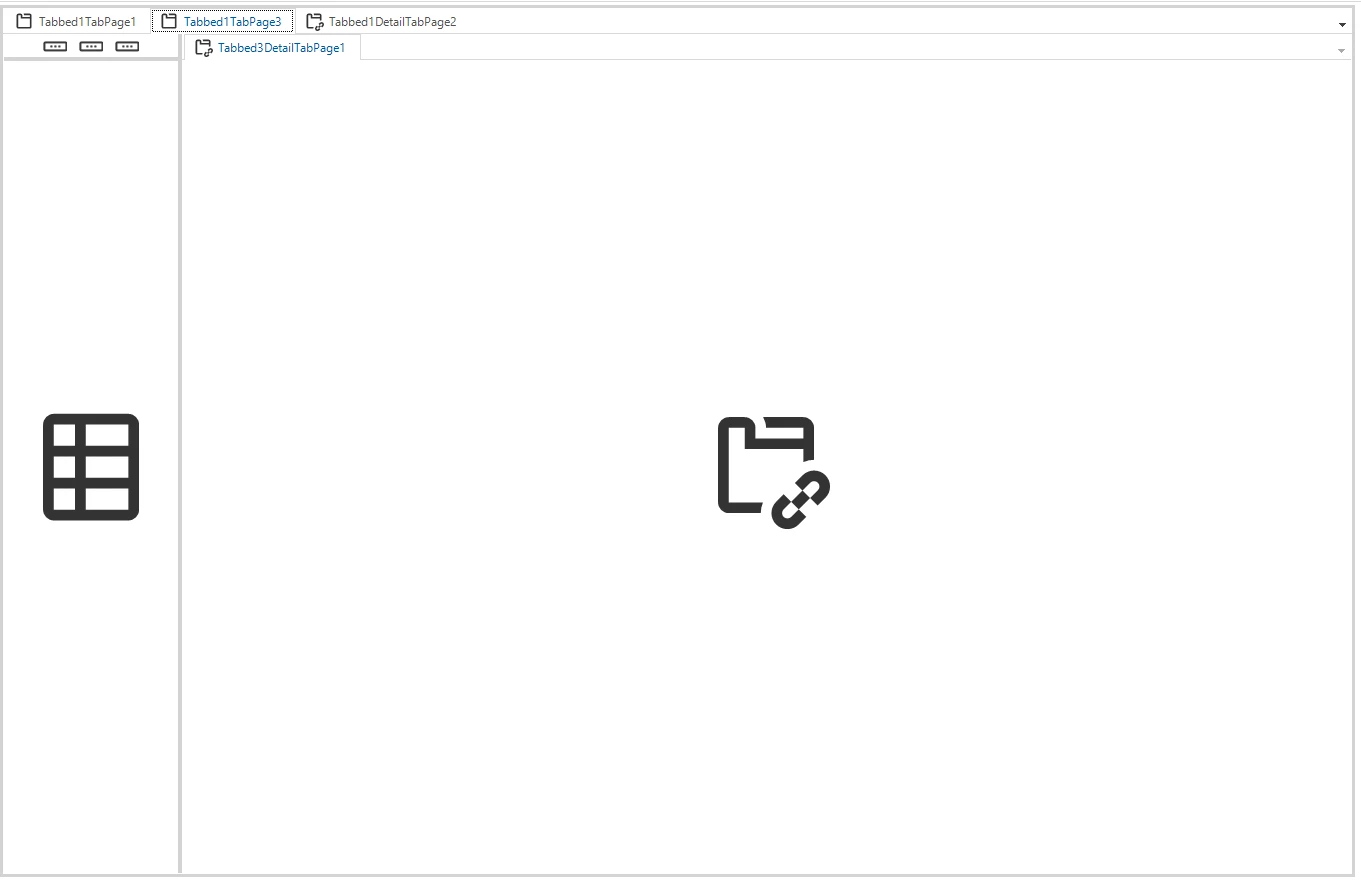
We use this screen setup for quite some occasions: a list with details behind it, with each detail having a small list on the left side so the user could easily switch between rows while staying on the detail screen (the same setup is used for ‘Subjects’ in the SF). But there are two limitations that we would like to overcome:

-It is not possible to use a different table variant for the small list on the left side (deviated from the main list). While for example we want hide certain fields in the small list and specify certain tasks only on a the main grid and some tasks on both. The only thing that can be changed is the action bar, but that means the small list shows all tasks or none.

-It needs an own screen type per table in order to name/icon the detail tab pages (which are actually component tab pages) like the the detail. This also requires manually maintenance when a translation is changed.



5 replies

Remco Kort
Administrator
Forum|alt.badge.img+2
  • Administrator
  • December 12, 2025

@PeterKeeris To verify, you want to be able to define two seperate grid components for a single subject? One that is the full list, and one that is condensed?

Also, often cardlists are used to display a smaller list, have you tried this? Are there reasons why it wouldn’t work?


Forum|alt.badge.img+8
  • Author
  • Captain
  • December 12, 2025

@PeterKeeris To verify, you want to be able to define two seperate grid components for a single subject? One that is the full list, and one that is condensed?

Yes, but also with their own prefilters/tasks/reports etc. So using a different subject variant would be perfect.

I was thinking of a solution direction with the possibility to set a screen area for a grid/form in the screen design. And in the subject configuration it would be possible to link a table variant to each screen area. So very similar of how this is possible with detail tabs already. 

Also, often cardlists are used to display a smaller list, have you tried this? Are there reasons why it wouldn’t work?

Thanks for this suggestion, we haven’t tried it yet. It would still not help with differentiating prefilters/tasks/reports though. And cardlists have their own limitations, like not supporting drag & drop. Using a cardlist could also make the list feel like a different subject to the user, so I am not sure we want to go that way but we will give it a try.


Arie V
Community Manager
Forum|alt.badge.img+12
  • Community Manager
  • December 12, 2025

@PeterKeeris On your remark related to prefilters/tasks/reports: you should be able to differentiate those using the Custom action bar and specific Screen Area assignments.You should be able to specify this on Tasks > Table Tasks > Screen area for each individual Task/Report and on Subject > Data > Prefilters > Screen area for each individual Prefilter.


Forum|alt.badge.img+8
  • Author
  • Captain
  • December 12, 2025

@PeterKeeris On your remark related to prefilters/tasks/reports: you should be able to differentiate those using the Custom action bar and specific Screen Area assignments.You should be able to specify this on Tasks > Table Tasks > Screen area for each individual Task/Report and on Subject > Data > Prefilters > Screen area for each individual Prefilter.

Thanks Arie, I didn’t knew it is possible to set a screen area within a custom action bar.


Arie V
Community Manager
Forum|alt.badge.img+12
  • Community Manager
  • December 12, 2025

@PeterKeeris Glad to see that we’re sometimes exceeding your expectations 😁




