
Completed

Universal Resource Scheduler - zoom level

Related products:Universal UI
  • February 4, 2022
  • 8 replies
  • 225 views

Blommetje
Superhero
Forum|alt.badge.img+13

Hi, 

Currently the Universal Scheduler can only display per day or week. 
It would be great if there was an extra zoom level. I want to set tasks for a day. 
So, a morning task, and an afternoon task for instance. 

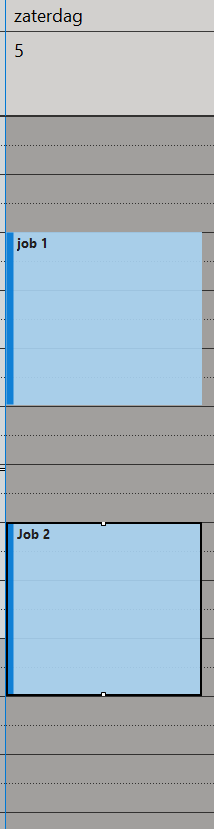
In the currently layout, this will just be stacked per day; 
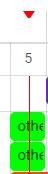
2 jobs on the 5th.

However, I want something like: 

Outlook sample - 


Can this be considered? 


8 replies

Mark Jongeling
Administrator
Forum|alt.badge.img+23
  • Software Architect
  • February 11, 2022
Updated idea statusNewOpen

Blommetje
Superhero
Forum|alt.badge.img+13
  • Author
  • Superhero
  • April 14, 2022

Any news on this? And dropping from a view into the scheduler, so we can really plan appointments. More drag/drop and a weekly view (hours) .. would be amazing. 


Mark Jongeling
Administrator
Forum|alt.badge.img+23
  • Software Architect
  • April 14, 2022

Any news on this? And dropping from a view into the scheduler, so we can really plan appointments. More drag/drop and a weekly view (hours) .. would be amazing. 

No news on this Idea. If there's any news, we'll let you know through this idea of course 😁


Arie V
Community Manager
Forum|alt.badge.img+12
  • Community Manager
  • May 23, 2022

We need the Hour-level timescale too, but not necessarily displayed as in a Calendar like Outlook. Instead I would like to see them right behind each other the Scheduler. Raised separate Idea for that: 


Mark Jongeling
Administrator
Forum|alt.badge.img+23
  • Software Architect
  • August 16, 2022
OpenPlanned
 
This idea has been planned for the 2023.1 release


Jasper
Thinkwiser
  • January 25, 2023
Updated idea statusPlannedWorking on it!

Erik Brink
Moderator
Forum|alt.badge.img+5
  • Moderator
  • February 7, 2023

In combination with platform version 2023.1, custom timescale support is now supported in the latest releases Universal GUI (2023.1.12). This version already available as a beta release now and will be officially released next Friday. 

Note: there are a lot of combinations of configurations possible. We've tested of lot of them and notice not all are shown properly. So, choose your combination of timescales wisely.

In this case, you can configure a day, hour and possibly a quarter timescale to bring all appointments per day in view. The date picker will let you choose a particular day to navigate to.

We will close this idea now and feel free to let us know your findings.


Erik Brink
Moderator
Forum|alt.badge.img+5
  • Moderator
  • February 7, 2023
Working on it!Completed