Merged

Universal GUI - Maps - Automatic Zoom Level

Related products:Software FactoryUniversal GUI
  • April 18, 2022
  • 7 replies
  • 120 views

Freddy
Forum|alt.badge.img+16
  • Thinkwise Local Partner Brasil

Hi. How do I create a scenario for automatic zoom level. 

We are in Brazil so, the default is at level 5 or 6 to get an overview.  But depending on the search I want to automatically zoom to state level or city level. How do I do that? 

7 replies

Forum|alt.badge.img+17
  • Moderator
  • May 5, 2022

Currently this is not possible. You can set the initial zoom level but not modify it on the fly. 


Freddy
Forum|alt.badge.img+16
  • Author
  • Thinkwise Local Partner Brasil
  • May 5, 2022

Currently this is not possible. You can set the initial zoom level but not modify it on the fly. 

Ok, how do I turn this question into an idea?


Mark Jongeling
Administrator
Forum|alt.badge.img+23
Updated idea statusNewOpen

Harm Horstman
Superhero
Forum|alt.badge.img+21

​​​@Freddy,

Did you find a solution for this? We managed to make a work around for this. Not the most idea solution, but the end result works smooth in Universal.

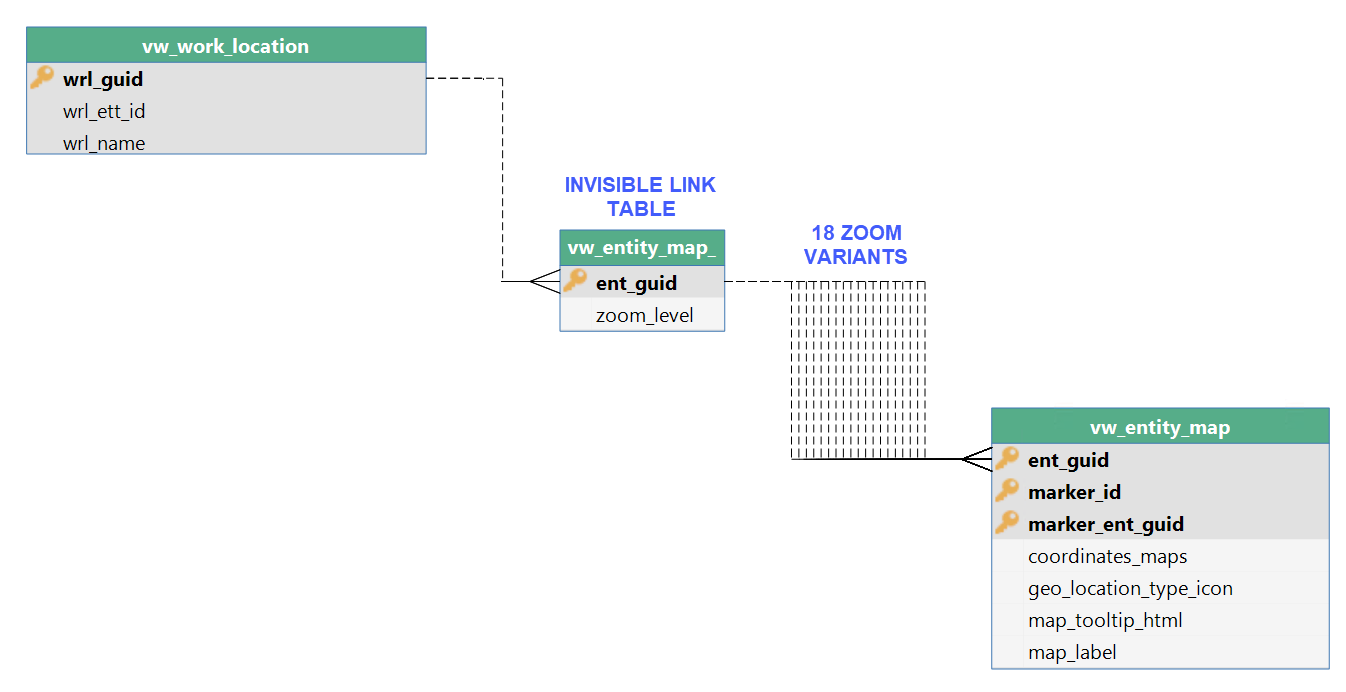
Our solution consists of a parent subject with 2 fields, id + zoomlevel and 18 details tabs for each zoom level a variant with its own zoom level. The right variant is made visible with a context procedure.


Freddy
Forum|alt.badge.img+16
  • Author
  • Thinkwise Local Partner Brasil
  • June 25, 2024

​​​@Freddy,

Did you find a solution for this? We managed to make a work around for this. Not the most idea solution, but the end result works smooth in Universal.

Our solution consists of a parent subject with 2 fields, id + zoomlevel and 18 details tabs for each zoom level a variant with its own zoom level. The right variant is made visible with a context procedure.


Hi @Harm Horstman ..  no not yet.. but we are not actively using the maps component at the moment, so I'm also not into it at the moment.  I can imagine it's not an ideal solution. I still hope this will be supported a bit more out of the box one day :) 

But if we get into this issue again, I'll know the work-around. Thanks for sharing that you have it. Still cannot really see how you steer the context to get to the right zoom level yet. 


Harm Horstman
Superhero
Forum|alt.badge.img+21

@Freddy 

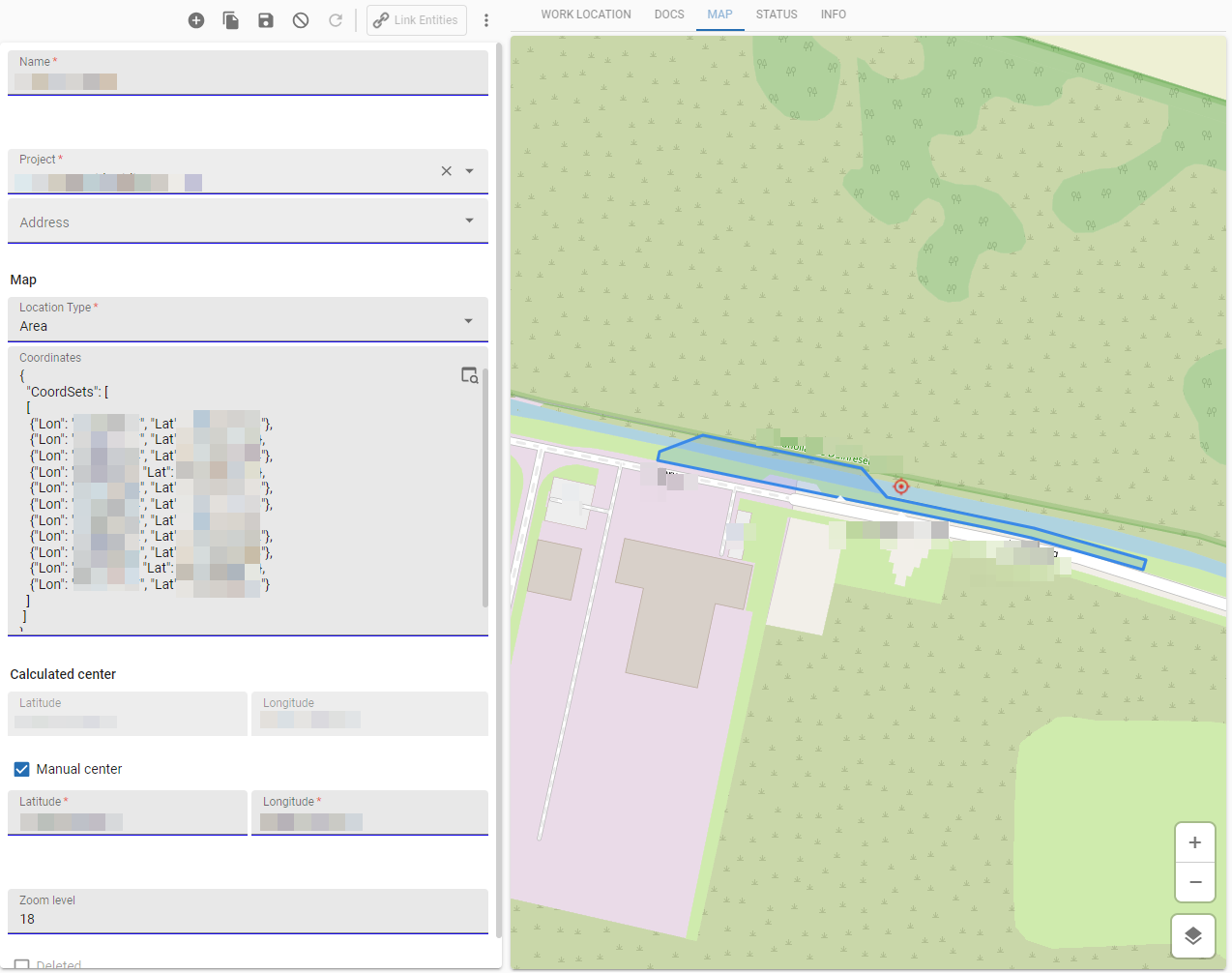
In our application a table called ‘Work Locations’ can be a geographic area, line or point.

We save the coordinates of the work location, a calculated center point a manual centerpoint (optional) and the zoom level.


2 views are used for the map:

The result:


Arie V
Community Manager
Forum|alt.badge.img+12
  • Community Manager
  • April 25, 2025
Updated idea statusOpenMerged
Idea merged into:

All the votes from this idea have been transferred.