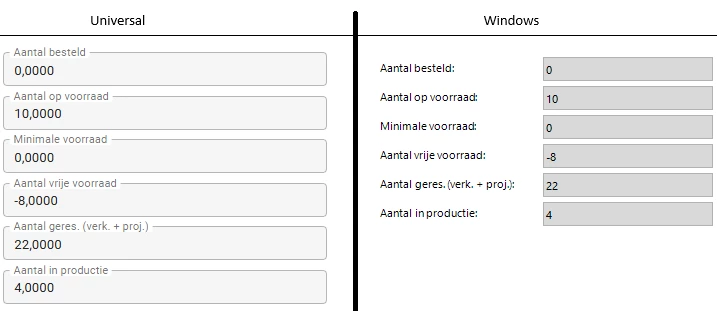
By default our application shows 4 decimals in Numeric fields, but we don't want to show any trailing zero's for standard nummeric fields and 2 decimals for currency fields.
Our Windows gui does this, but Universal is always showing 4 decimals.
How do we get Universal the same as our Windows Gui?
Best answer by Edo Spijker
Hello Daniel,
You do in fact have an extender (I’ve checked this with Renée). However that extender isn’t located in the SF but in the gui folder itself, which is why you couldn’t find it). You can check it for yourself if you go to your win gui folder > Projects > {your application name}. In that folder you will see ManterModelExtender.dll
If you would remove that DLL then you will see that the windows gui also shows the trailing decimals
@DanielBouwmeester_Manter Based on the example you’re giving, there doesn’t seem to be a need to show decimals for these field at all. You can change that in the Domain settings.
To double check a few things:
Could you share what Domain settings you currently have for these Columns?
Could you check if you are using an Extender called custom_display_format
I would like to establish that this is not a bug, but a missing feature.
If you do need the ability to store values with 4 decimals, while only displaying 2 in the UI, then please vote on this Idea:
It is not yet possible to configure this for the Universal UI, but I’ll see if we can get to it with a bit more priority. The current workaround is to use Expression fields in Read mode.
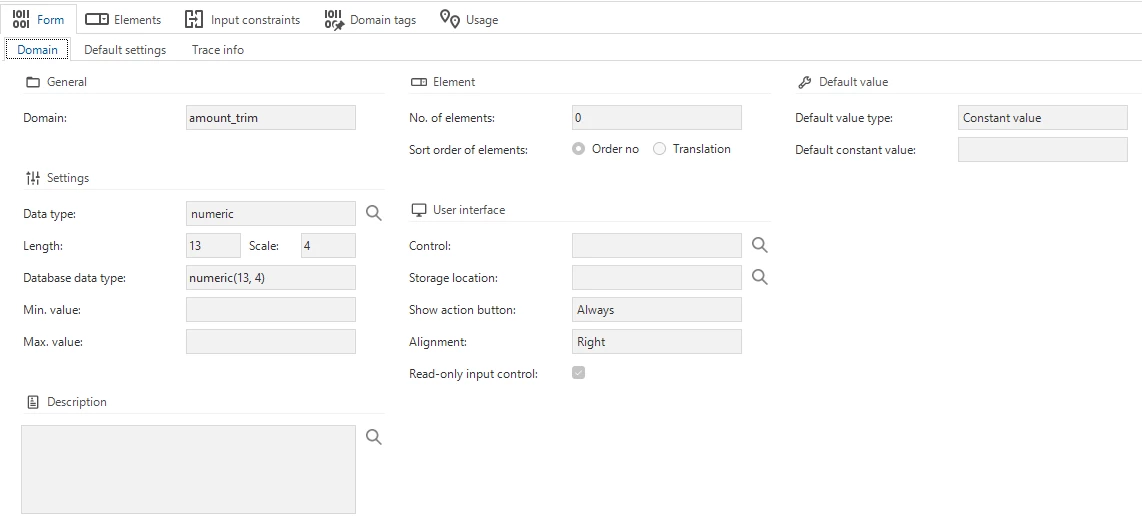
My colleague Johan checked: the numeric fields in our application are setup with domain setting ‘amount_trim’:
So, numeric with a length of 13 and 4 decimal places.
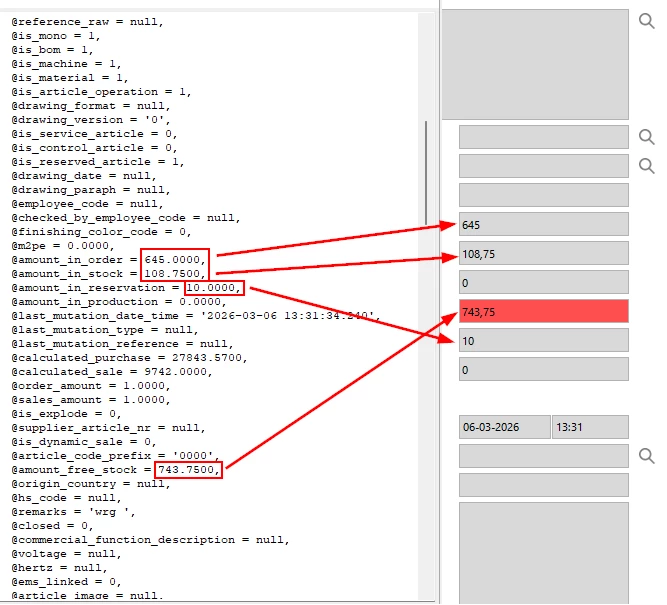
There are no extenders present in the Software Factory. He couldn't find anything that would cause our application to omit the trailing zeros. I suspect this is happening in our current Desktop GUI, because the data coming from the database does show 4 decimal places in the Debug screen.
You do in fact have an extender (I’ve checked this with Renée). However that extender isn’t located in the SF but in the gui folder itself, which is why you couldn’t find it). You can check it for yourself if you go to your win gui folder > Projects > {your application name}. In that folder you will see ManterModelExtender.dll
If you would remove that DLL then you will see that the windows gui also shows the trailing decimals
@DanielBouwmeester_Manter Ambition is to implement the ability to configure the number of displayed decimals in Read mode (basically the earlier linked Idea) during Q2 this year. But that will most likely only work in combination with the latest Thinkwise Platform version (which won’t be compatible with the Windows GUI).
In the meantime you have two options:
Temporarily accept the difference in behavior in the different UIs
Review the Data in your database (and Functionality that uses those columns for calculations) for each current Domain and see if you could update them to 0 or 2 decimals without functional impact (e.g. if you always only have x,0000 or x,xx00 in your database respectively)