



Closed

New proces action to open filter

Related products:Software FactoryWindows GUI
  • July 17, 2019
  • 3 replies
  • 97 views

htimmermans
Captain
Forum|alt.badge.img+12
Currenty on a table there is an option "Start empty with filter". We use this option in a scheduler scheduler screen, as for different users the number of rows can vary and have negative results on performance.

But the majority of user only have a limited amount of resources to manage in the scheduler. So an idea to create a processflow to determain wheter we're looking at the data as a "power-user" or not and so starting with an empy filter or not is not possible in a processflow.

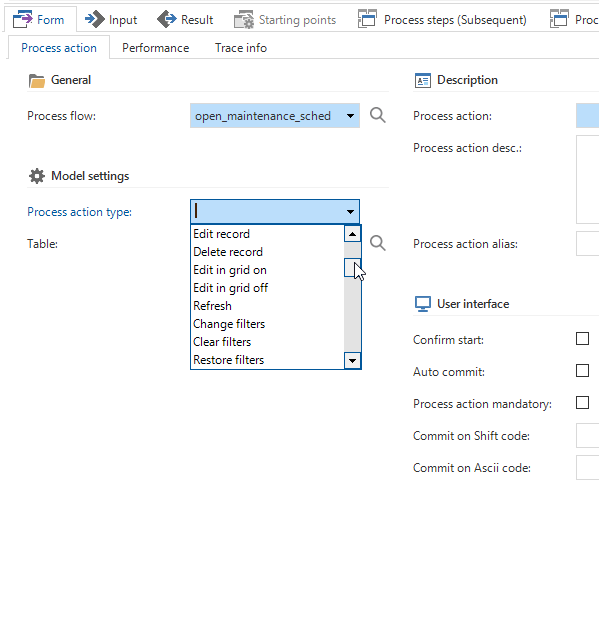
So an extra process action would be appreciated: "Open Filter" or something like this.

Also ordering alphabetically in the possible actions, or a pop-up would make life easier....
3 replies

Erik Brink
Moderator
Forum|alt.badge.img+5
  • Moderator
  • July 17, 2019
Hi Henri,

Users may influence "start empty with filter" using User preferences from IAM.

It's a shame we do not support User group->Group preferences on this settings yet.

Maybe you could insert a User preference record for each Power user in Users->User preferences->Tables.

Does that do the trick for you?

Regards,
Erik

htimmermans
Captain
Forum|alt.badge.img+12
  • Author
  • Captain
  • July 17, 2019
Erik,

Good tip; didn't know of that option in IAM/User preferences. That'll do the trick....

Thanks.

Jeroen van den Belt
Administrator
Forum|alt.badge.img+10
Updated idea status OpenClosed



