


Needs feedback

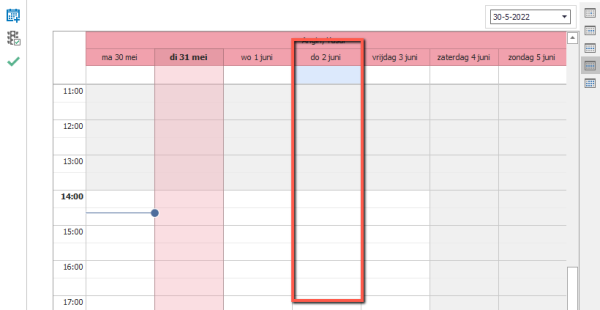
I would like to know the selected date in the scheduler

Related products:Windows GUI
  • May 31, 2022
  • 5 replies
  • 86 views

Forum|alt.badge.img+14

When I use the scheduler, I can set the date in the date picker or I can scroll in time. When I start a task for a resource, I would like to know the value of the selected date.  
 

5 replies

Mark Jongeling
Administrator
Forum|alt.badge.img+23
Updated idea statusNewOpen

Arie V
Community Manager
Forum|alt.badge.img+12
  • Community Manager
  • February 23, 2026

@Andre te Raa This Idea was still based on the Windows GUI. As you know we no longer develop features for the Windows GUI, and the date selector field is not available in the Universal UI Scheduler. 

You can however start a Task by clicking on a time cell in the Scheduler which will then inherit a Start date/time. For more details check this blog:

Does that satisfy your needs?


Arie V
Community Manager
Forum|alt.badge.img+12
  • Community Manager
  • February 23, 2026
OpenNeeds feedback

Forum|alt.badge.img+14
  • Author
  • Captain
  • February 23, 2026

It could be a work around. But we already use the double click on a time cell (in Windows) to add an item to the calendar. If we also use it for other functions the user first has to decide what the task should perform. When some task are not executed very often, I would prefer a different task for the selected date.  

Is a date selector for a schedule in Universal planned? If not, is it possible to use a task and process action ‘Activate scheduler’, to go to a date in the schedule? Also when the scheduler is already active? 


Arie V
Community Manager
Forum|alt.badge.img+12
  • Community Manager
  • February 23, 2026

@Andre te Raa A date selector like the one in the Windows GUI scheduler is not possible, since it’s not supported by the component we use. 

Instead, it is indeed perfectly viable to create a Task with Date parameter in combination with the process action ‘Activate scheduler’. See the Go to date header in this blog for more details: 

If you could further clarify the Use Case you have in mind, we’re happy to think along.





