
Completed

Filter on dateTime fields using "between" when no time is entered.

Related products:Windows GUI
  • April 8, 2019
  • 5 replies
  • 161 views

htimmermans
Captain
Forum|alt.badge.img+12
When a field is defined as datetime, the GUI expects a time when a user wants to filter on a date. This is logical from an applation point of view, but not from a users point of view.

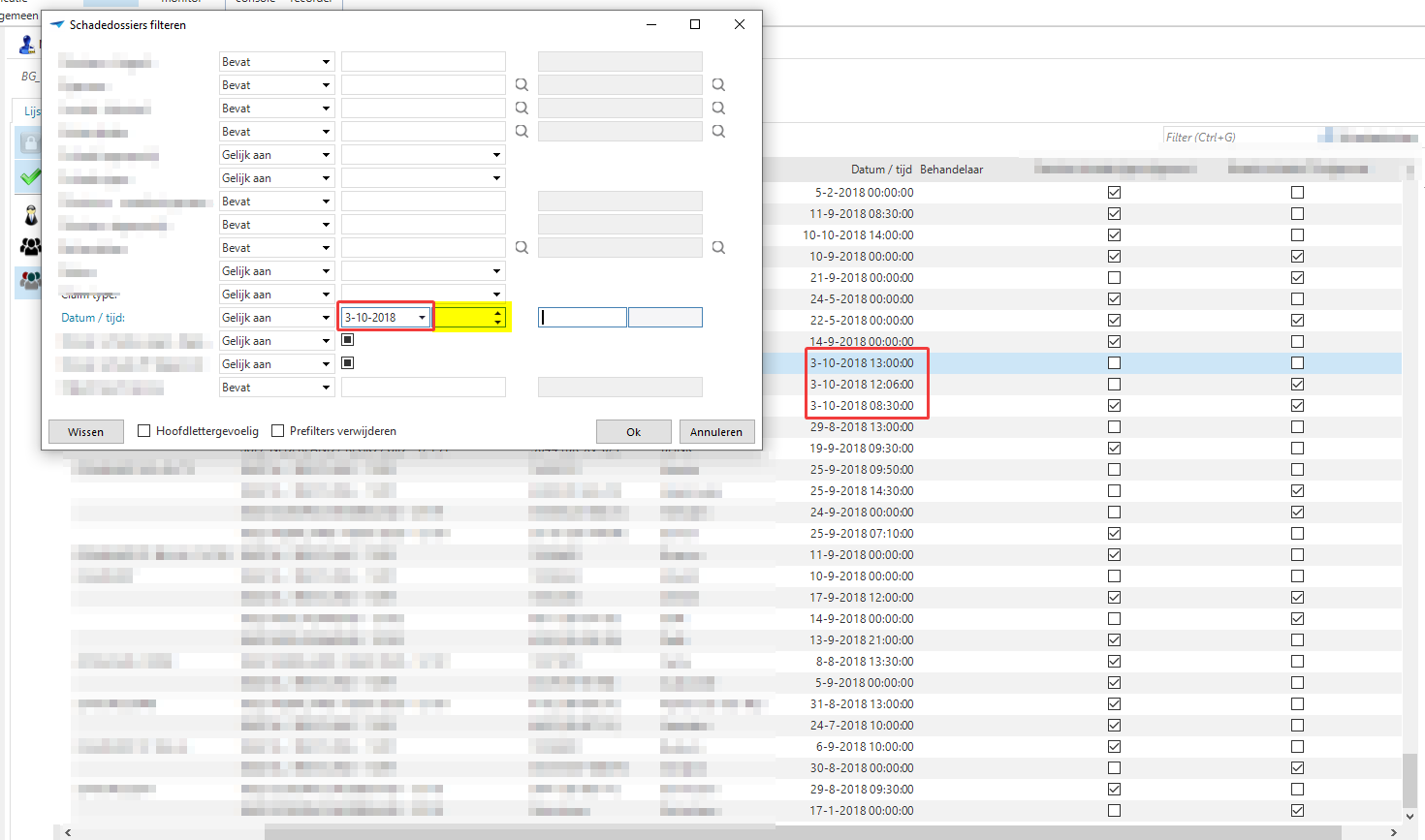
I.m.h.o. when a user filters on a datetime field, the GUI should use a "BETWEEN" sql statement and not an "=' (equal) statement. Lets take the example below. A users selects "Filter" and enters just a date (and leaves the time part of the datetime field empty).

I would like the GUI to select the 3 rows with the date the user is looking for. If for one reason a user want to look for a row equal to the thousands of a second, than just enter the time as well..

In a similar manner the filter "Between" could work. If a users enters a from date of 01-01-2019 and a to date of 01-02-2019, leaving both time parts of the field empty, the GUI should filter for rows containing a datetime of "2019-01-01 00:00:00.000000" and "2019-01-02 23:59:59.999999" (depending on the precision of timestamps in the database used by the application).


5 replies

Robbert van Tongeren
Thinkwise blogger
On which version of the GUI and SF are you working?
I have a 2018.3.18 GUI version on a 2018.3 SF, and what you describe is exactly how it works in my situation.

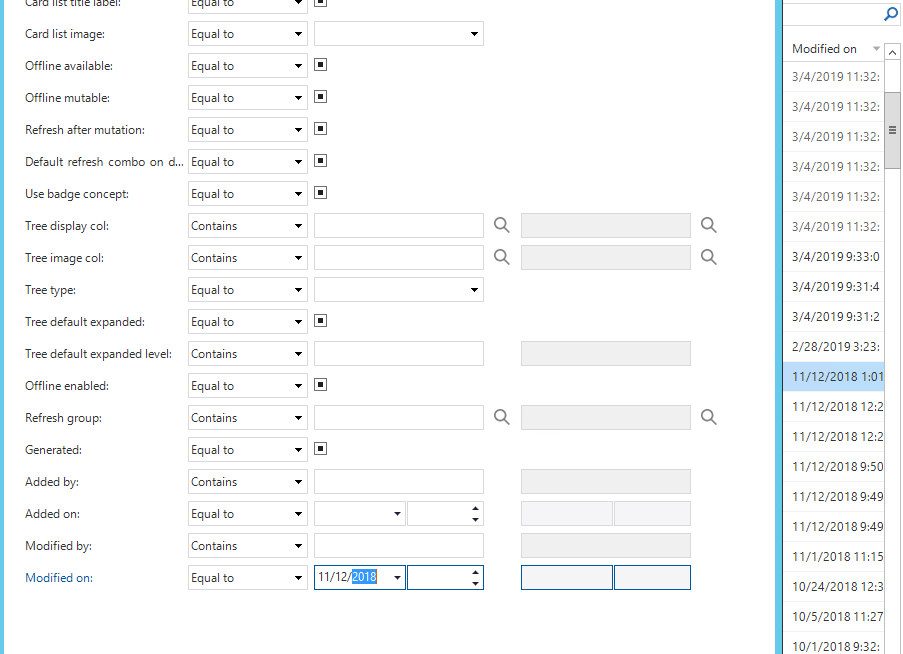
Example:


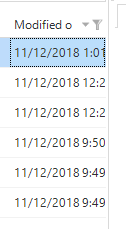
With result:


Query looks likes:
((t1.[update_date_time] >= convert(date, '2018-11-12', 120) and t1.[update_date_time] < convert(date, '2018-11-13', 120)))

htimmermans
Captain
Forum|alt.badge.img+12
  • Author
  • Captain
  • April 11, 2019
@Robbert van Tongeren

I've got the latest of everything, including GUI 2018.3.19.0.

The problem (probably) is, once again, a DB2 database and project... SQLServer timestamps aren't as precise (3 digits instead of 6 or more, or was it the other way around?)...

So what I see in Debug is:

where (t1.claim_date_time >= timestamp('2019-04-08-00.00.00.000000') and t1.claim_date_time < timestamp('2019-04-08-00.00.01.000000'))
order by t1.claim_dossier_id desc fetch first 250 rows only

This should i.m.h.o. be (in a DB2 environment):

where (t1.claim_date_time >= timestamp('2019-04-08-00.00.00.000000') and t1.claim_date_time < timestamp('2019-04-08-23.59.59.999999))
order by t1.claim_dossier_id desc fetch first 250 rows only


Also a bit strange behaviour in the GUI when Filter is opened again (probably also due to the lack of precision).

I can't get a video uploaded or even attached (upload doesn't seem to work here). But below a screenshot of a date when re-opening the filter (only the 9 of 2019 is visible; after things get adjusted).

So while writing all this, it problably means I have also have to write a Ticket in TCP and wait for a solution in one of the following GUI's....


Robbert van Tongeren
Thinkwise blogger
I didn't see it was a DB2 specific problem, I think this should be a TCP ticket indeed as for SQL it seems to work like it should.

htimmermans
Captain
Forum|alt.badge.img+12
  • Author
  • Captain
  • April 11, 2019
I created a ticket (68073), so this is actually not an "Idea" but a Bug. Can't remove it, but Thinkwise may mark it as "Solved" when done solving...

Roel
Thinkwiser
Forum|alt.badge.img+2
  • Thinkwiser
  • April 29, 2019
Hello Henri,

The next release of the GUI (14-5-2019) will support your required behavior. When a timestamp is filtered and no time is given, the whole day will be searched. The new query will look like this:

code:
...
where (t1.timestamp1 >= timestamp('2019-04-29-00.00.00.000000') and t1.timestamp1 < timestamp('2019-04-30-00.00.00.000000'))


It is easier for us to check smaller than, because this makes the precision of the timestamp irrelevant.

If you have any further questions, feel free to reply.

Kind Regards,
Roel