Completed

Differentiate Zoom screen in Open Documents

Related products:Universal UI
  • June 15, 2021
  • 9 replies
  • 196 views

Arie V
Community Manager
Forum|alt.badge.img+12

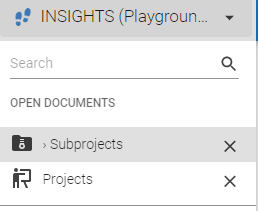
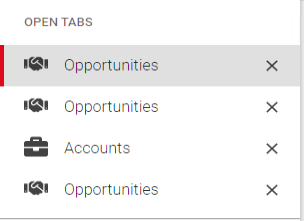
Currently the GUI does not distinguish between Zoom screens versus Main screens in the Open Documents part of the Menu. It would be very helpful to have a subtle indication (a small icon f.e.) of an Open Document being a Zoom screen, as it would help users to quickly know where to go (usually to Main) and/or which screens to close (usually Zoom).

Which one is Main and which are Zoom screens?


9 replies

Mark Jongeling
Administrator
Forum|alt.badge.img+23
  • Software Architect
  • June 16, 2021
Updated idea status NewOpen

Freddy
Thinkwiser
Forum|alt.badge.img+16
  • Thinkwise Local Partner Brasil
  • February 14, 2023

Zoom screen should be a popup and not an open document. 


Jasper
Thinkwiser
  • March 13, 2023

Hi Freddy, that's a nice idea, but really a different feature. A pop-up will not allow you to switch documents until you close it. Feel free to submit an idea for this as well!


Tim de Lang
Moderator
Forum|alt.badge.img+4
  • Moderator
  • April 26, 2023
OpenWorking on it!

Tim de Lang
Moderator
Forum|alt.badge.img+4
  • Moderator
  • April 26, 2023
Working on it!Next release

Arie V
Community Manager
Forum|alt.badge.img+12
  • Author
  • Community Manager
  • April 26, 2023

@Tim de Lang Nice! Could you already give a hint on how exactly will this Idea be solved?


Tim de Lang
Moderator
Forum|alt.badge.img+4
  • Moderator
  • April 26, 2023

Hey @Arie V. It’s similar to how the Windows GUI indicates this with a › before the title of the open document.


Erik Brink
Moderator
Forum|alt.badge.img+5
  • Moderator
  • May 3, 2023
Next releaseClosed

Erik Brink
Moderator
Forum|alt.badge.img+5
  • Moderator
  • May 3, 2023
Updated idea statusClosedCompleted