


Completed

Add option to disable column property Identity in tool Copy Columns

Related products:Software Factory
  • August 12, 2021
  • 6 replies
  • 76 views

Arjan Sollie
Thinkwise blogger
Forum|alt.badge.img+15

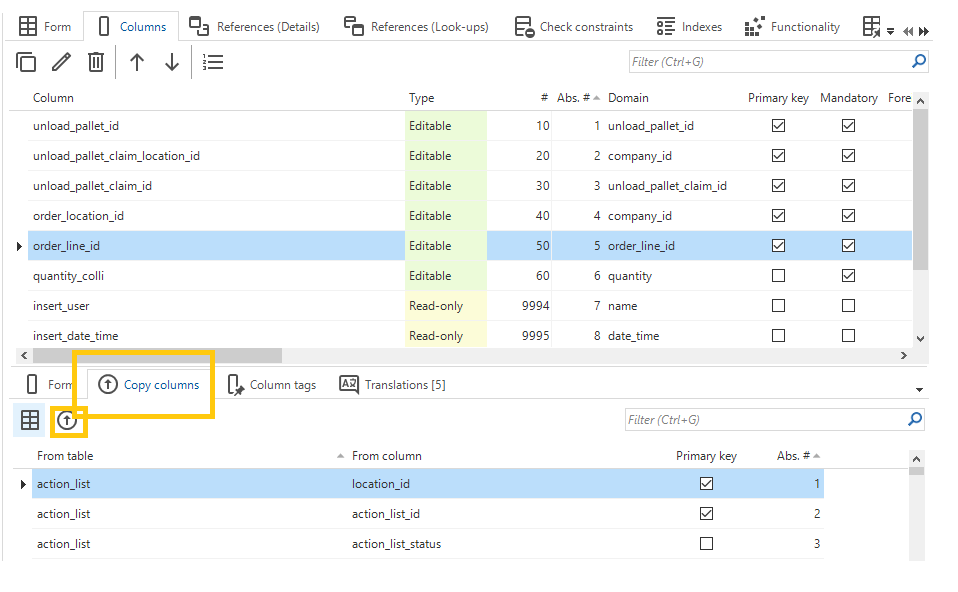
In the data modeler when add columns you have the option to select a set of columns and copy these columns into the selected table. I use this tool quite often. Unfortunately this copy option also copies the Identity setting from the selected columns. In 99% of the cases that I use this option I do not want this property to be copied.

I sometimes forget that this property will be copied. The result is a table where by accident a column has been marked as Identity column. It would be a of great help if you have the option to disable the Identity property when using this copy function.

The task already has such a checkbox for the property Primary Key.
 

6 replies

Jeroen van den Belt
Administrator
Forum|alt.badge.img+10
Updated idea status NewOpen

Great idea, but why not set the copy identity to a default of false? Like you said in 99% of the cases this is not the wanted result. Should the default not be set to the most used option?


Arjan Sollie
Thinkwise blogger
Forum|alt.badge.img+15
  • Author
  • Thinkwise blogger
  • August 12, 2021

Erwin,

That would be a great addition yes. This checkbox should be set to false by default.


Jeroen van den Belt
Administrator
Forum|alt.badge.img+10

In the 2024.2, we expanded the tab and task to copy columns from another table with the option to copy identity-related settings (Identity, Seed, Increment) and setting Mandatory.

This gives you more control over the desired outcome of the new column.

Image


Jeroen van den Belt
Administrator
Forum|alt.badge.img+10
OpenNext release

Jeroen van den Belt
Administrator
Forum|alt.badge.img+10
Next releaseCompleted

