Planned

Activate top-left Screen Component upon opening a screen

Related products:Universal UI
  • February 10, 2023
  • 6 replies
  • 233 views

Arie V
Community Manager
Forum|alt.badge.img+13

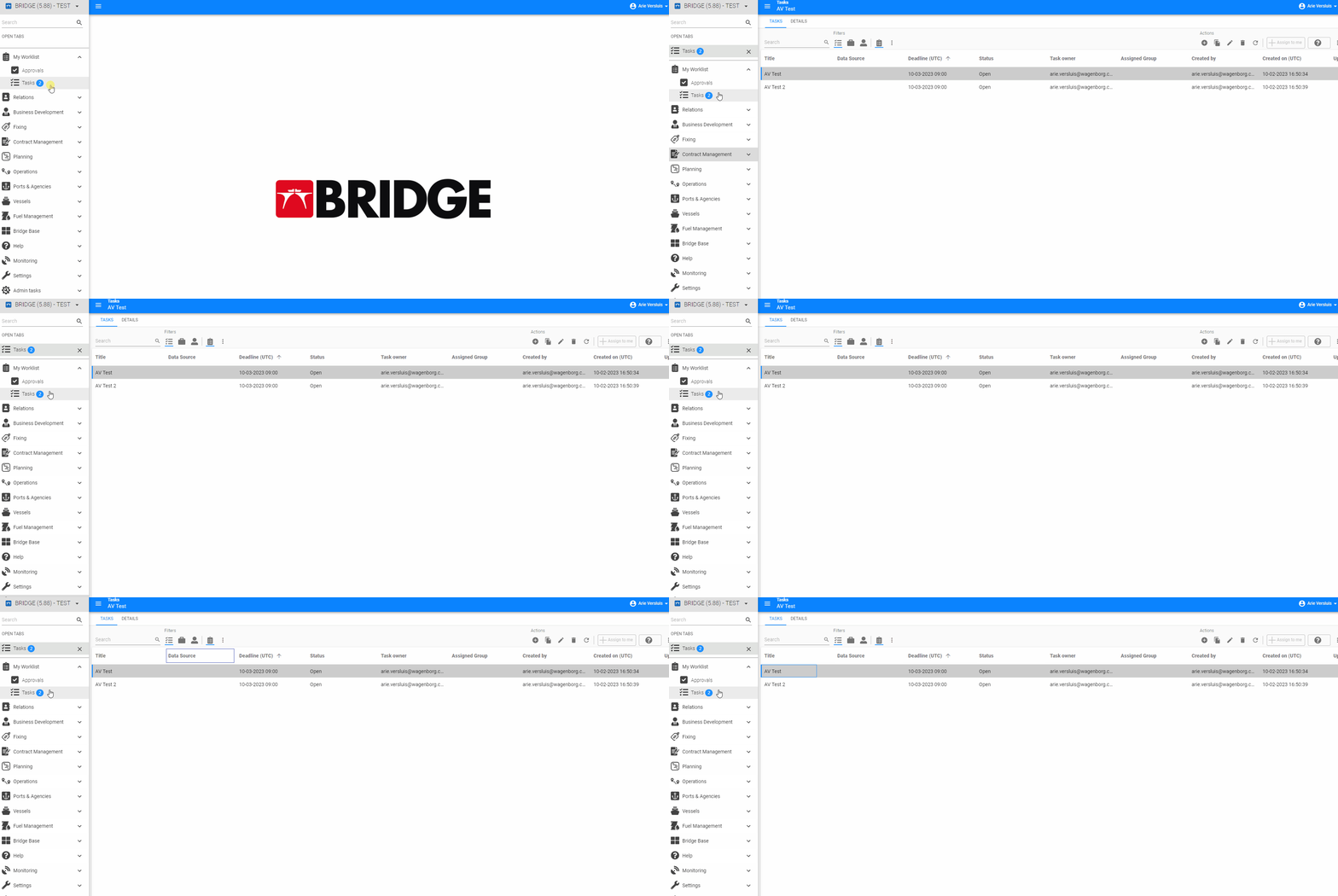
Upon opening a new Document in the Universal GUI the first value in the top left (at least for Western writing) Screen Component should be activated. This especially goes for the Grid component, where it seems as if the first Row is selected. In below example it took me 44 tabs to get to the first column value of the seemingly selected Row. Could the Universal GUI be a bit smarter here?

 

6 replies

Mark Jongeling
Administrator
Forum|alt.badge.img+23
  • Software Architect
  • February 14, 2023
NewOpen

Forum|alt.badge.img
  • Rookie
  • February 27, 2026

In other non-Thinkwise projects I’ve seen AG Grid implemented in such a way that the focus-field and record-selection by keyboard arrows are programmatically connected to give the fastest experience. 

It works like this: 

  • User sets focus to any filter field of the grid, most commonly the (global) search field.
  • User starts to filter for some recordset he wants to filter on, e.g. by typing “1234”. The system applies filters and now shows some record-set (e.g. 10 records). 
  • Now without leaving the search field focus, the user can use arrow up and down arrow keys of his keyboard. For the search field, the datagrid is programmed to catch the arrow up and arrow keys and programmatically (using AG Grid internal API) move the recordselection. 
  • The user did not leave the filter field focus for typing. Without having to reactivate or set focus to the search field again, the user can just type another character (e.g. type “5” which now makes his filter-value “12345”). The system applies filters and now shows some record-set (e.g. 3 records). 
  • Once again and without having to leave the filter field focus, he can use his up and down keyboard arrows to change selection. 

This solves the most common scenario where a user wants to ‘switch’ focus between filter fields and record selection by keyboard. With the solution above, the user does not have to switch focus at all.  

In addition to this, when a screen is opened, the developer needs to be able to assign where to by default set focus to. By default, that would be the global search field of the top grid. 

If you now combine programmatic recordselection and auto-set focus on screen entry when opening it, you now have a solution what users do 95% of the time (have focus in 1 search field and change selection). 


Arie V
Community Manager
Forum|alt.badge.img+13
  • Author
  • Community Manager
  • March 13, 2026
OpenPlanned

Arie V
Community Manager
Forum|alt.badge.img+13
  • Author
  • Community Manager
  • March 13, 2026

We’re designing in detail how to deal with Keyboard shortcut & navigation support in the Universal UI. The resulting implementation should cover this Idea as well.


Arie V
Community Manager
Forum|alt.badge.img+13
  • Author
  • Community Manager
  • September 17, 2026
The following idea has been merged into this idea:

All the votes have been transferred into this idea.

Bart Metselaar
Moderator
Forum|alt.badge.img+3
  • UI/UX Designer
  • September 18, 2026

In the next release we'll introduce the first steps for logical navigation. 

In this iteration, opening a menu item makes the focus go the most top left element of the top interactable component of your screentype components tree. We've seen that in most cases, this will be the search of a screen.

There is some logic behind this behavior:

If the first component that can be focused is an action bar with a search, the search will have the focus, regardless whether the search is in a minimal icon state or not. However, if that action bar has no search, or the search is placed in the overflow menu, that action bar is skipped and the focus goes to the first element of the next interactable component.

If that is a grid, the focus is placed on the first cell. If it is a form, it will be the first field, etc.

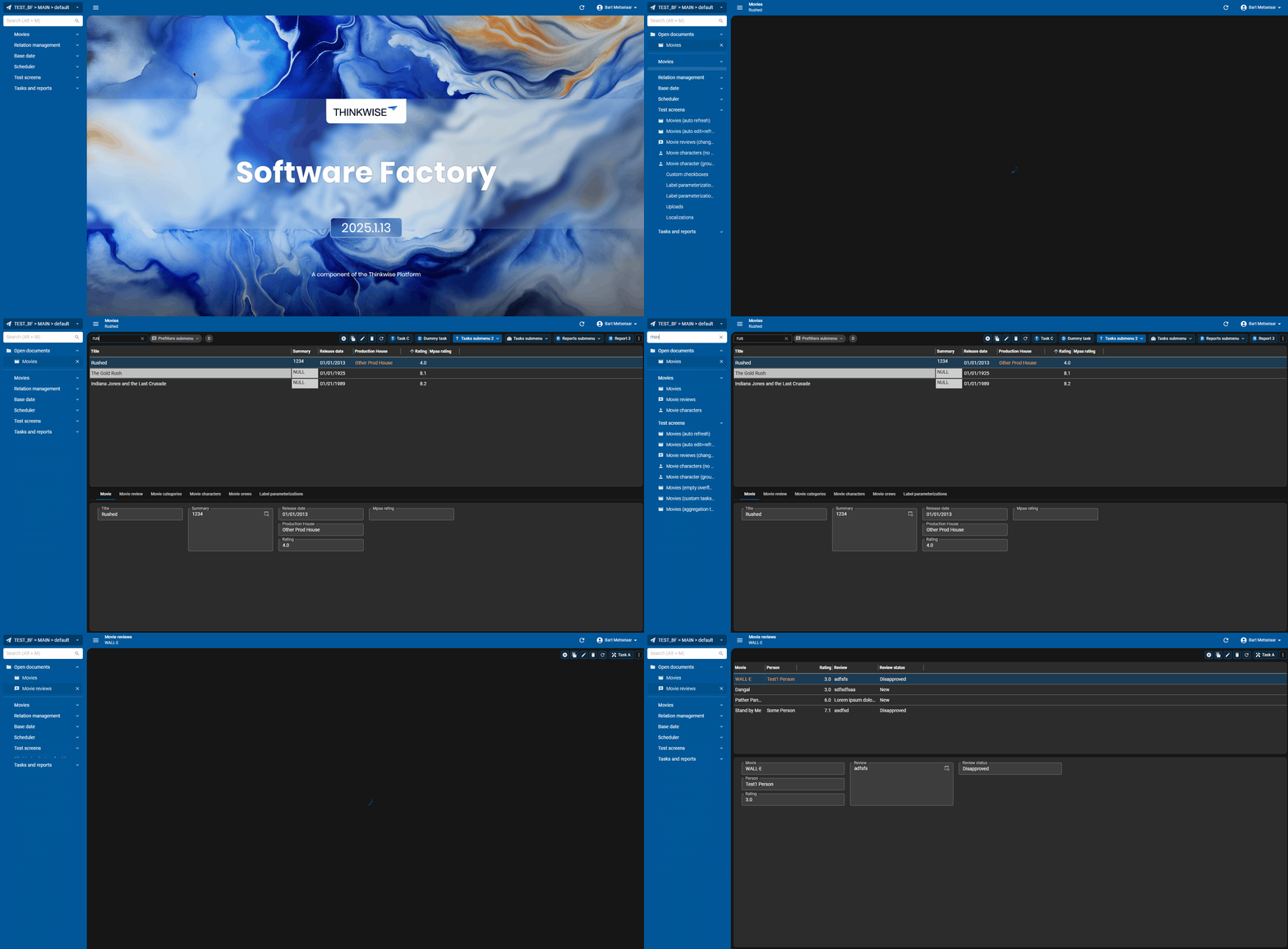
I made a quick gif to show this behavior, where I only use the keyboard.

  • I focus on the menu with [Alt + M], type in "mov”, use [tab] to go to subject ‘Movies’. On opening ‘Movies’, my focus is on the search and I can directly start searching.
  • Then, I use [Alt + M] again, to go to ‘Movie reviews', which doesn't have a search in the action bar, so my focus goes to the next component, which is the grid.

We don't support this focus behavior on navigating to details yet, that will be picked up in a future iteration!

Let us know what you think!