
Open

Alignment of Grid group label to Center

Related products:Universal GUIUI/UX
  • June 10, 2024
  • 6 replies
  • 55 views

Blommetje
Forum|alt.badge.img+13

Hi, 

Is it possible to align the group label in the grid to center? Currently by default it aligns left. I think it will be more user friendly and looks better (more logical) it it would align in the middle of the groups grid columns.

Any thoughts on this? 

Blommetje 

6 replies

Mark Jongeling
Administrator
Forum|alt.badge.img+23

Hi Blommetje,

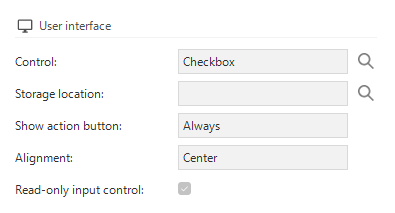
Using the Alignment setting for domains you can do this for Grid columns:

Alignment setting in Domains

Does that answer your question?

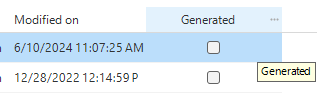
Edit, Grid grouping looks to be centered in the Windows GUI:

Grid grouping in Model overview (Windows GUI)

In Universal, Grid grouping are not centered:


Blommetje
Forum|alt.badge.img+13
  • Author
  • Partner
  • June 10, 2024

Hi Mark, 


Yes, it does, but i’m working in Universal. Assuming that this will be possible in future?


Mark Jongeling
Administrator
Forum|alt.badge.img+23

I'll take the honor to convert this to an idea. Currently the alignment for Grid group labels/headers cannot be configured.

@Blommetje, would you like the Grid group labels to be always centered like in the Windows GUI or want a setting to set the alignment to Left, Centered or Right?


Blommetje
Forum|alt.badge.img+13
  • Author
  • Partner
  • June 10, 2024

Thanks for creating this idea! 
Ehh yeah…, configurable might be the nicest, however (for now) I’m only looking at centering. 


Mark Jongeling
Administrator
Forum|alt.badge.img+23

Idea opened for Centering Grid group labels in Universal


Mark Jongeling
Administrator
Forum|alt.badge.img+23
NewOpen