
Open

Option to set field width and/or height to 100% in forms

Related products:Windows GUI
  • August 18, 2021
  • 2 replies
  • 56 views

Harm Horstman
Superhero
Forum|alt.badge.img+21

In many scenarios, it would be highly desirable for the unused space on a form to be used to maximize text fields in width and/or height.

Preferably with an extra option 'Maximize (Y/N)' or an option to set the width and height as a percentage of the available space.


2 replies

Mark Jongeling
Administrator
Forum|alt.badge.img+23
  • Software Architect
  • August 18, 2021

Hi Harm,

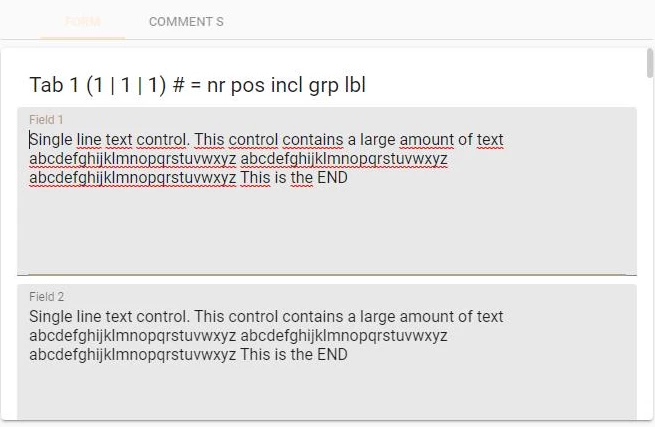
In the Universal GUI fields already take advantage of space on the right but does not use all space below it - That is due to the form being scrollable and thus not having a set form height like in the Window GUI:

Universal GUI


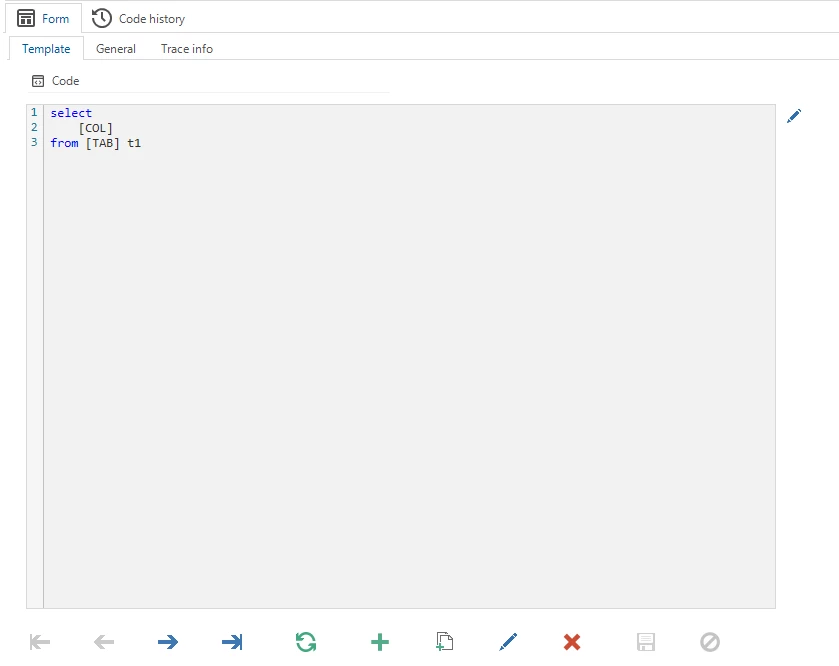
In the Windows GUI however, fields with the Code editor control will use all space below it if the height in positions is sufficient:

Code editor in Windows GUI (Templates)

A combination of space on the right and bottom is not yet possible indeed, hence your idea :thumbsup_tone1: 

Let the voting begin!


Mark Jongeling
Administrator
Forum|alt.badge.img+23
  • Software Architect
  • August 18, 2021
Updated idea status NewOpen